Kare

Capture, with care.

Kare copies the text and tables of anything on your Mac's screen. Draw an area, press a shortcut: it's copied, ready to paste.

Coming soon

14-day free trial, then a lifetime license. macOS 14 or later, Apple silicon.
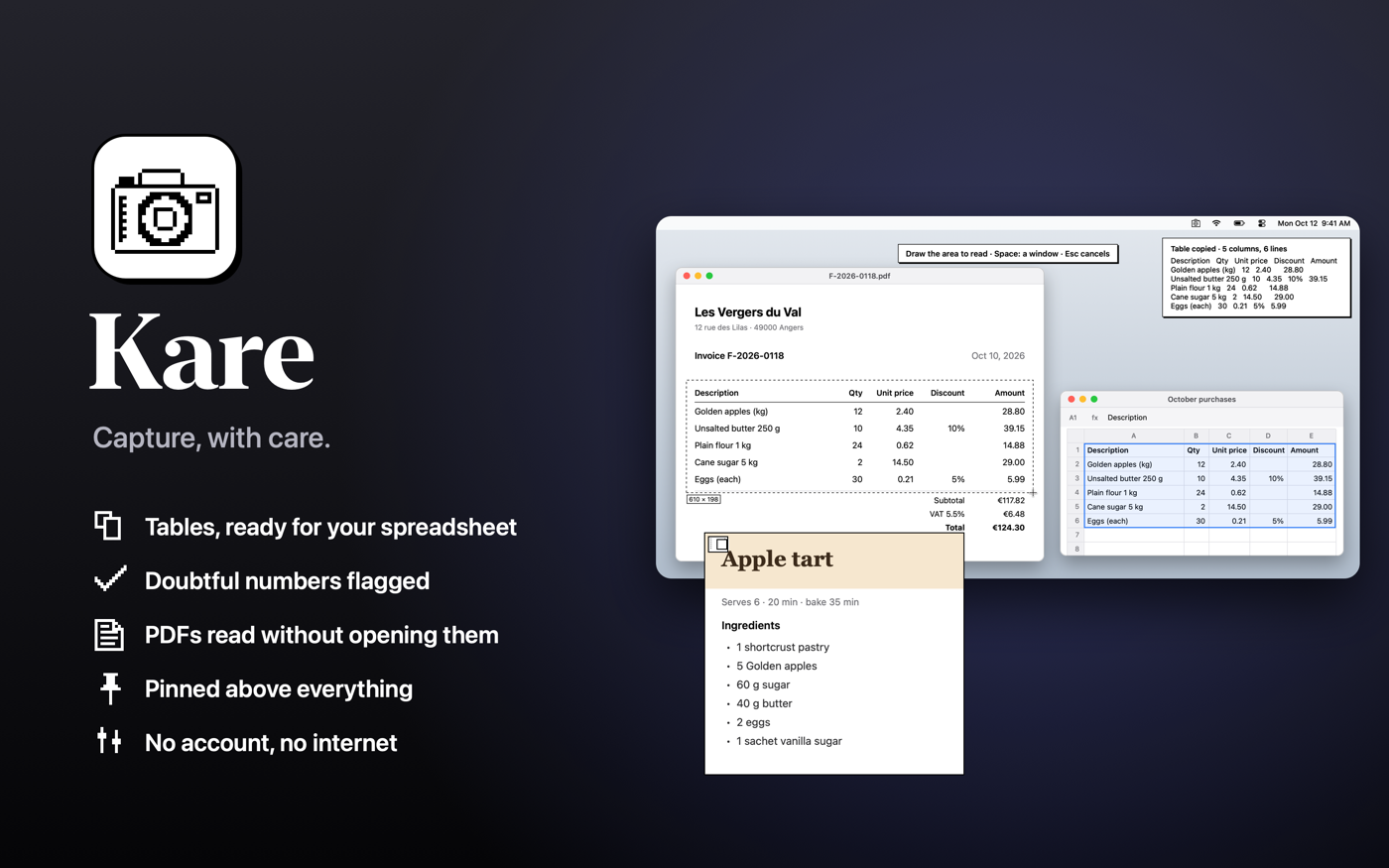
Kare: on-screen text and tables, copied

What Kare does differently

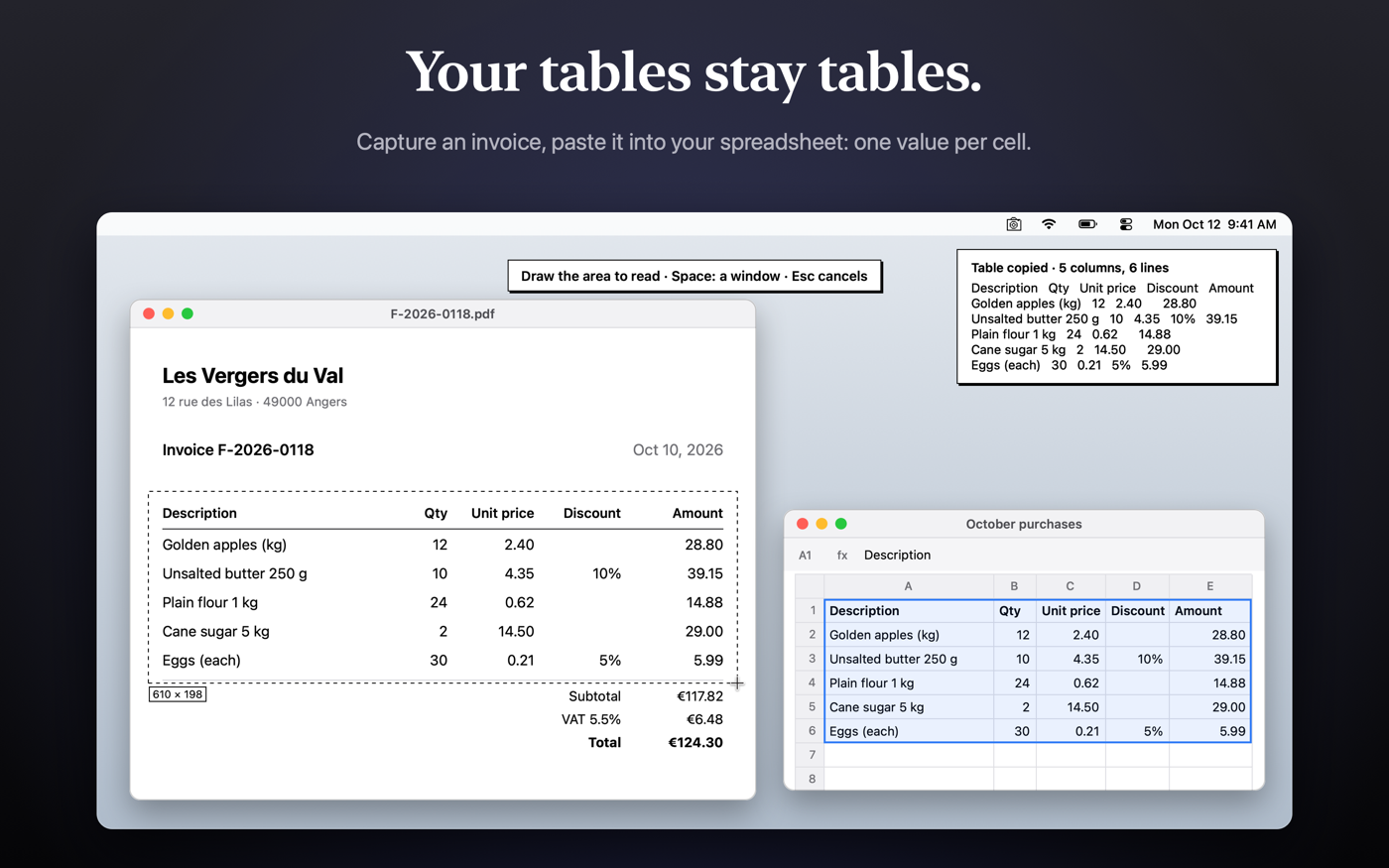
Tables stay tablesPasted into a spreadsheet, each value lands in its own cell.
A doubtful number? Kare says soIn small print, it asks you to check instead of copying a mistake.
Copied PDFs and images⌘C on files: the text is copied, even from a scan.
Screenshots and scrollingAn area, a window, or a whole page that scrolls.
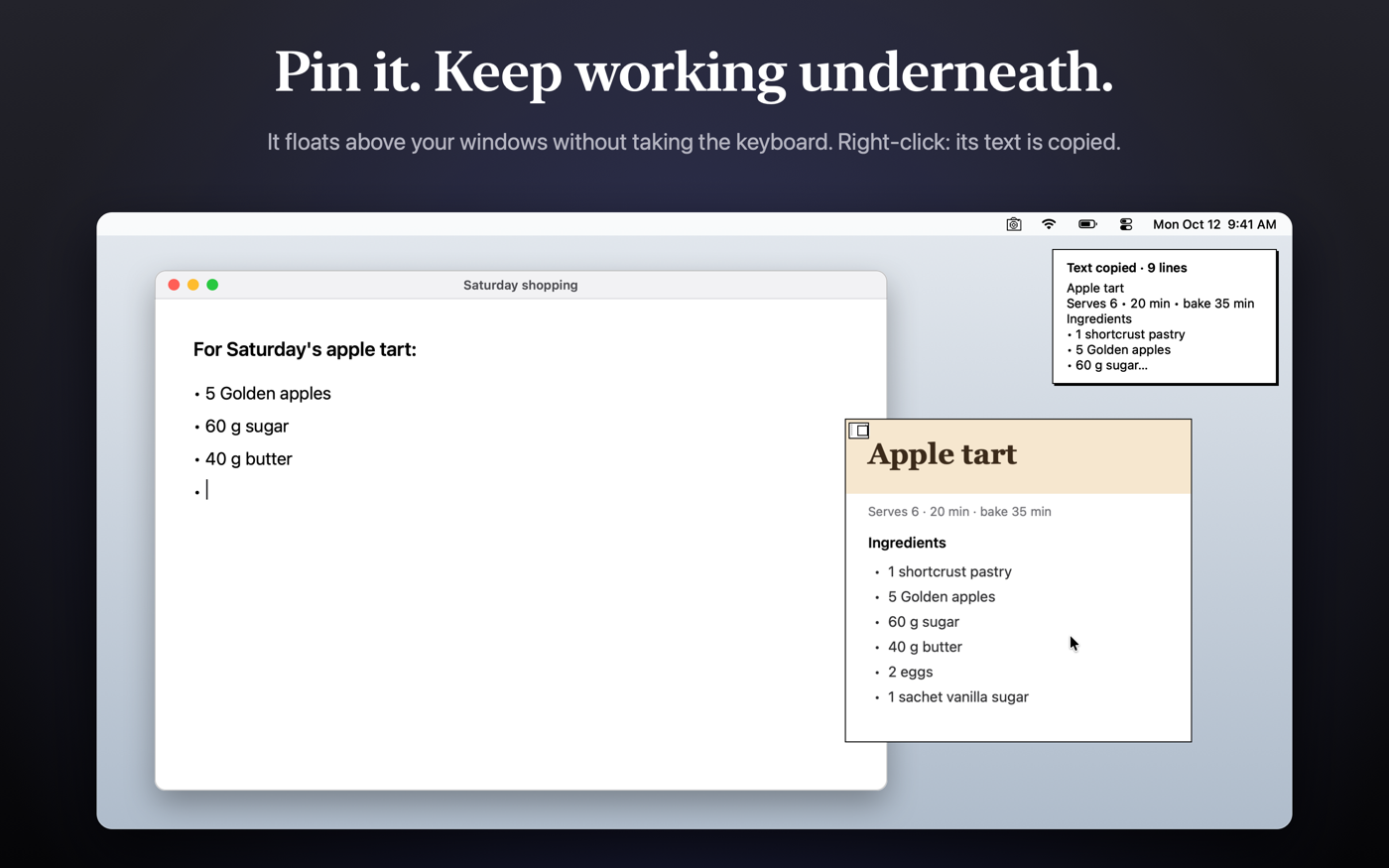
Pin a captureIt stays above your windows: zoom, opacity.
QR codes and barcodesTheir content is copied; a link never opens by itself.
A table pasted into a spreadsheet, each value in its own cell A capture pinned above your windows

100% on your Mac

Everything is read on your Mac by macOS. No account, no connection, no data sent. Customizable shortcuts, interface in 10 languages.

Kare copies the text and tables of anything on your Mac's screen. Draw an area, press a shortcut: it's copied, ready to paste.

Coming soon

14-day free trial, then a lifetime licence. macOS 14 or later, Apple silicon.

Kare: on-screen text and tables, copied

What Kare does differently

Tables stay tablesPasted into a spreadsheet, each value lands in its own cell.
A doubtful number? Kare says soIn small print, it asks you to check instead of copying a mistake.
Copied PDFs and images⌘C on files: the text is copied, even from a scan.
Screenshots and scrollingAn area, a window, or a whole page that scrolls.
Pin a captureIt stays above your windows: zoom, opacity.
QR codes and barcodesTheir content is copied; a link never opens by itself.
A table pasted into a spreadsheet, each value in its own cell A capture pinned above your windows

100% on your Mac

Everything is read on your Mac by macOS. No account, no connection, no data sent. Customisable shortcuts, interface in 10 languages.

Kare copie le texte et les tableaux de tout ce qui s'affiche sur votre Mac. Une zone, un raccourci : c'est copié, prêt à coller.

Bientôt disponible

Essai gratuit de 14 jours, puis une licence à vie. macOS 14 ou plus récent, puce Apple.
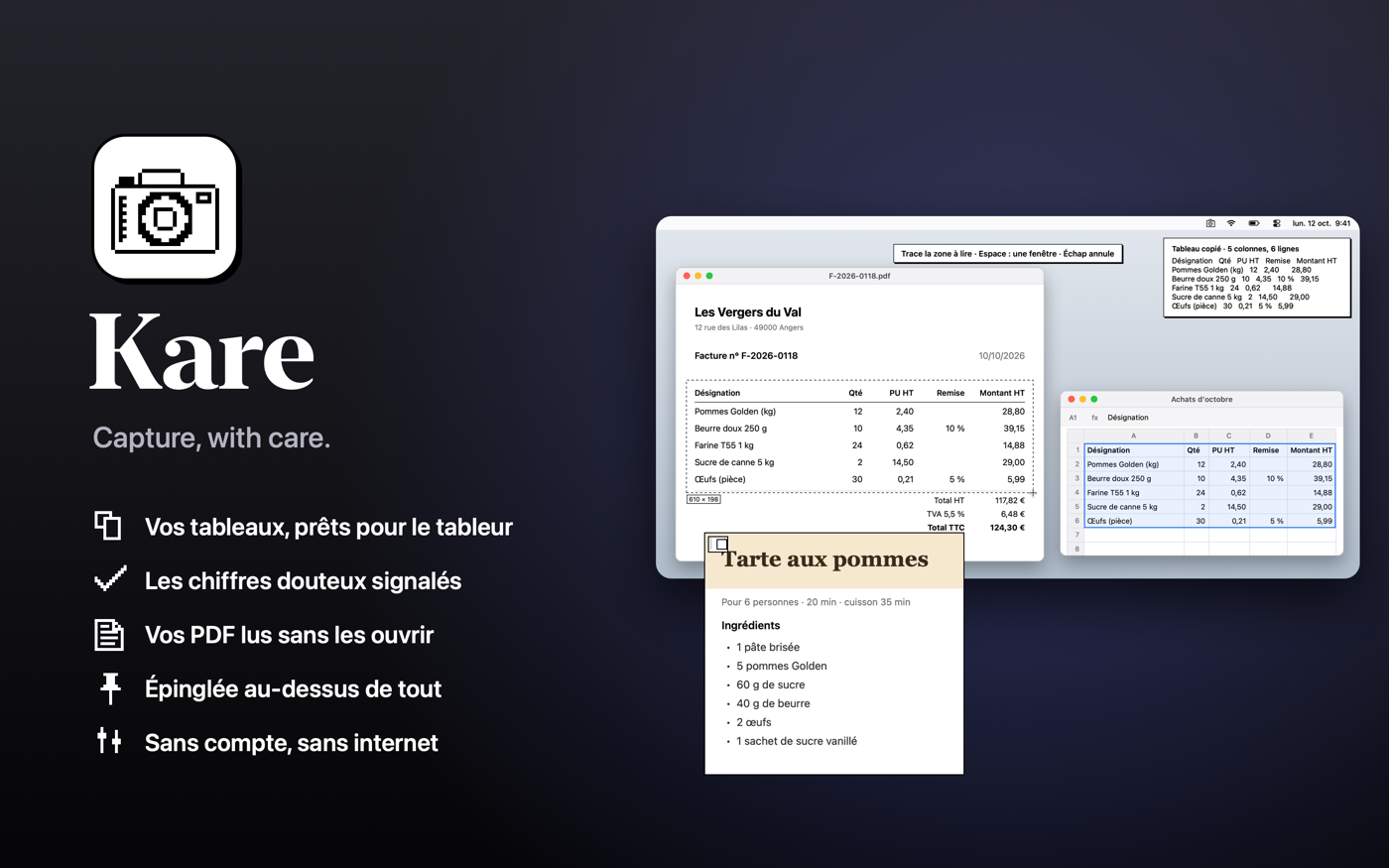
Kare : le texte et les tableaux de l'écran, copiés

Ce que Kare fait de plus

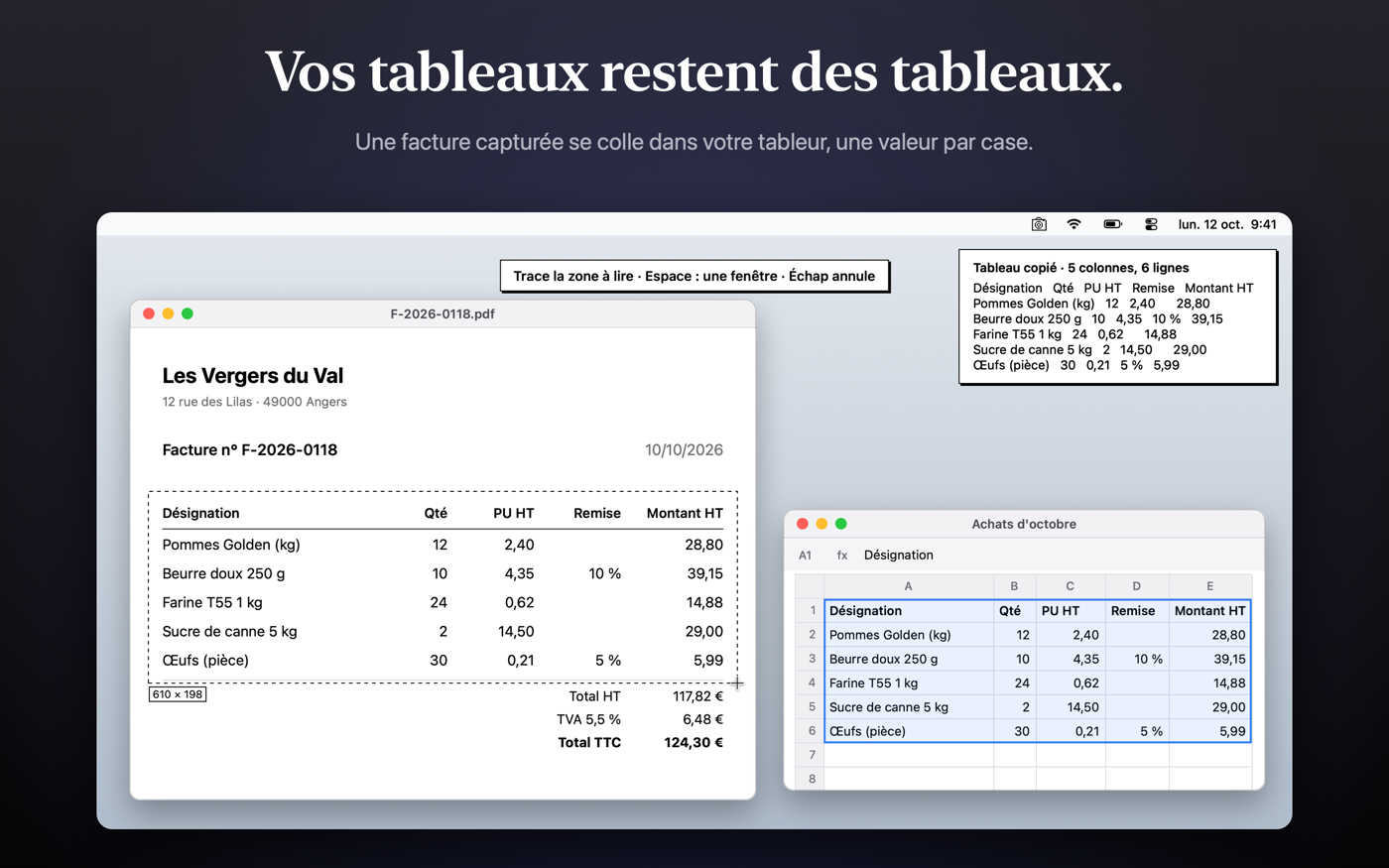
Les tableaux restent des tableauxCollés dans un tableur, chaque valeur arrive dans sa case.
Un chiffre douteux ? Kare le ditEn petits caractères, il demande de vérifier au lieu de copier une erreur.
PDF et images copiés⌘C sur des fichiers : le texte est copié, même d'un scan.
Captures et défilementUne zone, une fenêtre, ou une page entière qui défile.
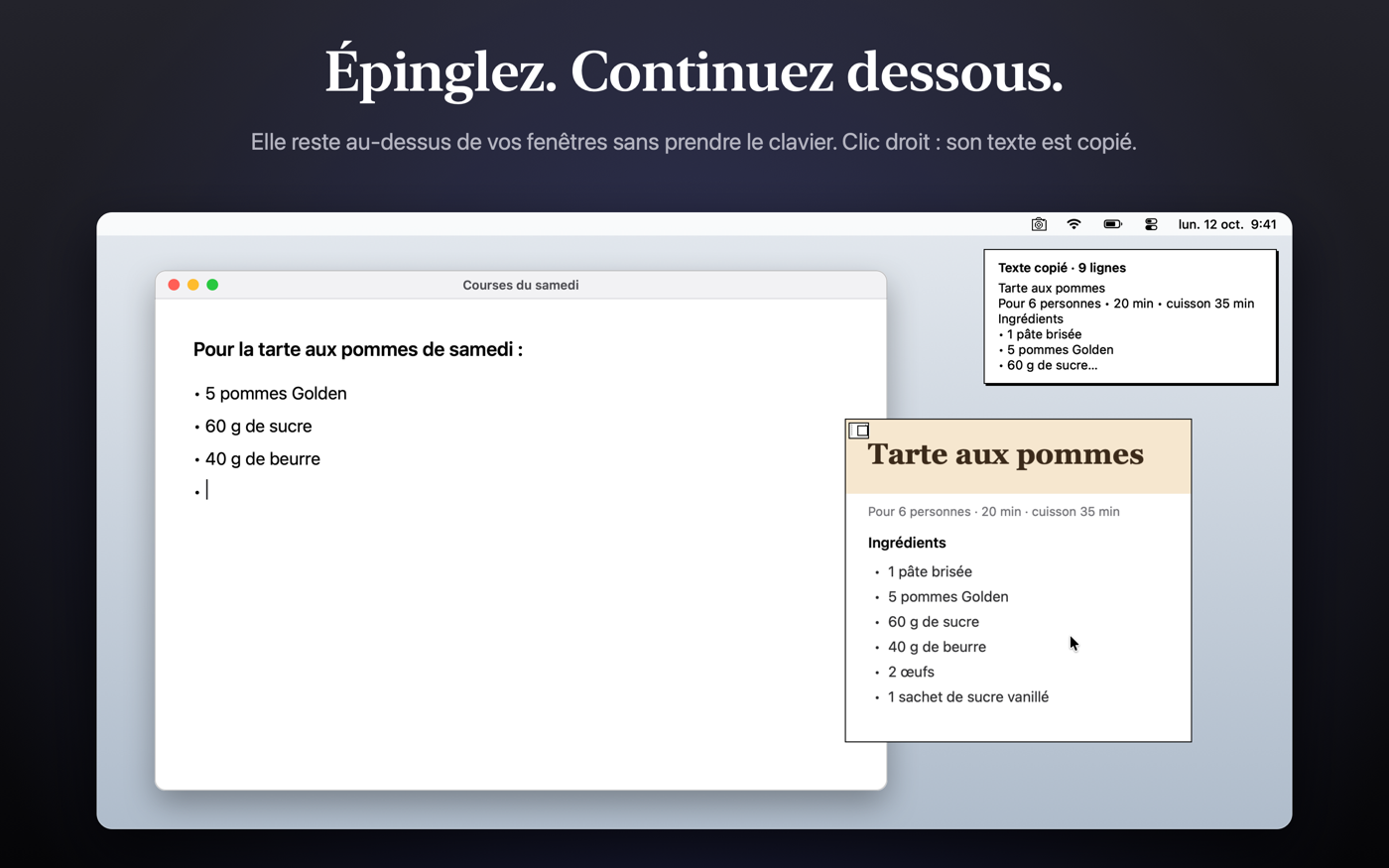
Épingler une captureElle reste au-dessus de vos fenêtres : zoom, transparence.
QR codes et codes-barresLeur contenu est copié ; un lien ne s'ouvre jamais seul.
Un tableau copié dans un tableur, chaque valeur dans sa case Une capture épinglée au-dessus des fenêtres

100 % sur votre Mac

Tout est lu sur votre Mac par macOS. Pas de compte, pas de connexion, aucune donnée envoyée. Raccourcis modifiables, interface en 10 langues.